Cover at every store
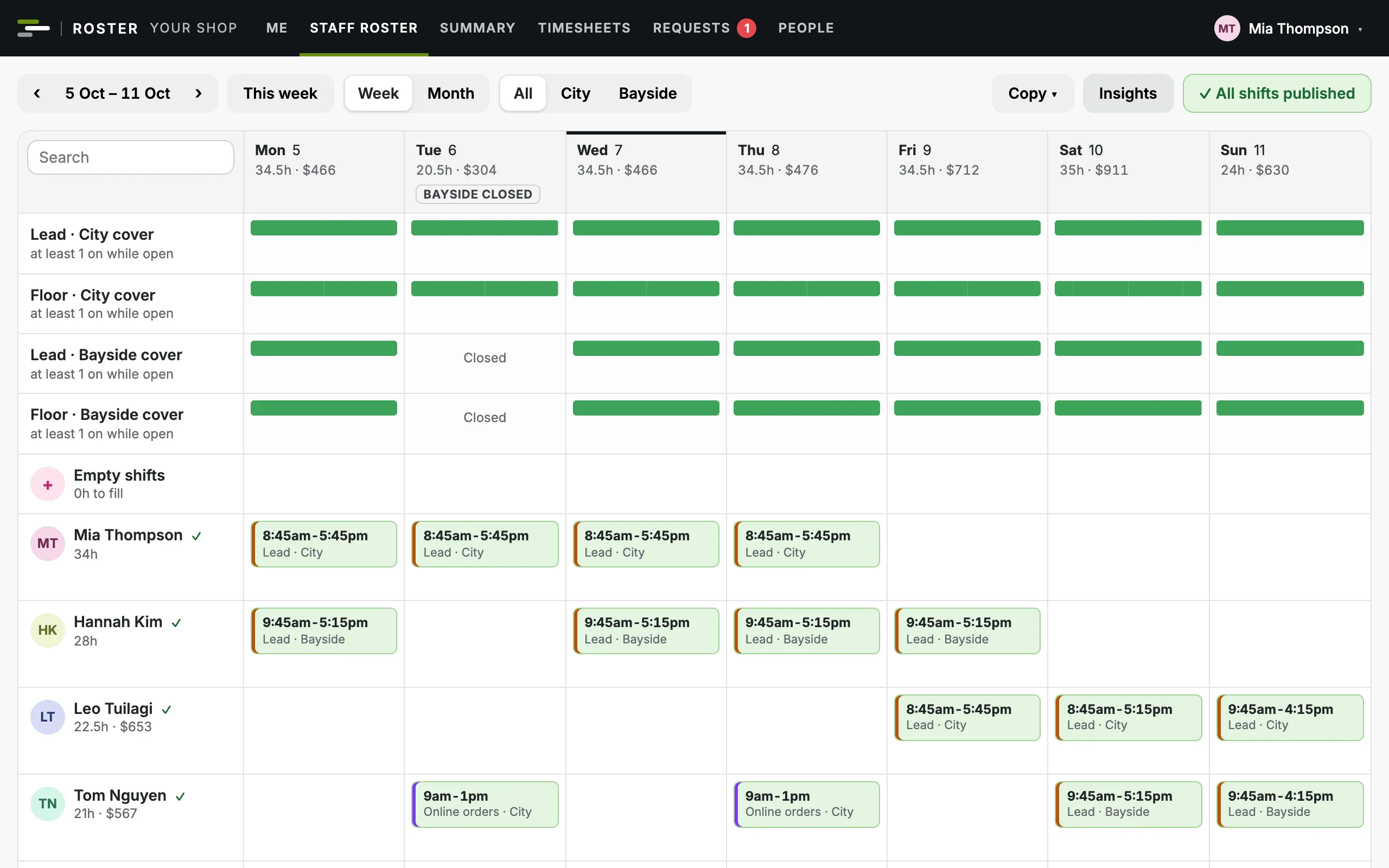
How many you need in each area while you're open, checked to the minute at each store as you build the week.
Several storesClub Roster builds the week for each of your stores, checks someone is leading and someone is on the floor every minute you're open, and shows the wages against your budget before you publish.
Free for up to 10 employees. Made in New Zealand. We set your shop up for you.
Built for shops with a floor to cover
Who's opening, who's on the floor, who can swap and what the week costs: in one place, for every store, instead of a spreadsheet and a group chat.
How many you need in each area while you're open, checked to the minute at each store as you build the week.
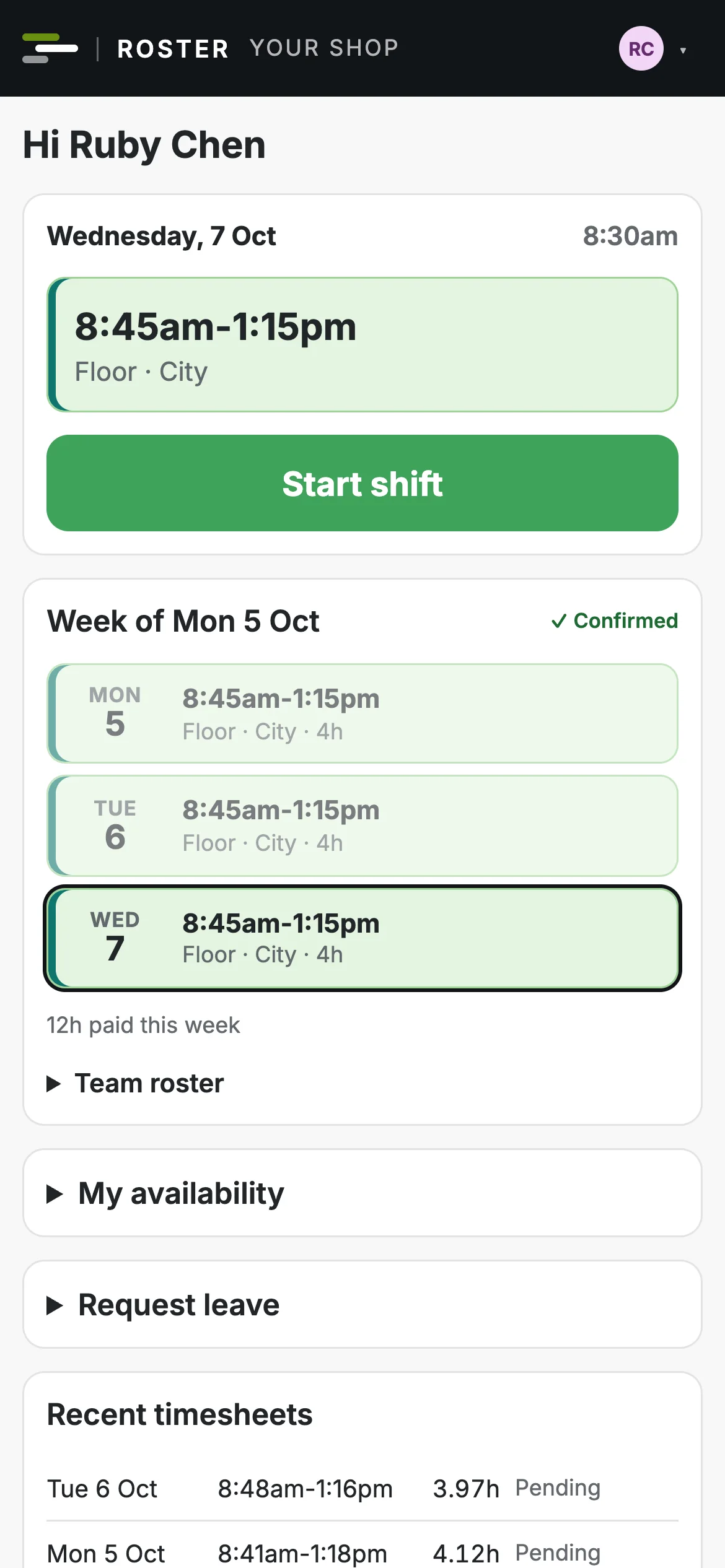
Several storesTheir shifts the moment you publish, with swaps, cover, leave and clocking in from the same link.
The team appEvery shift costed as you roster, against each store's monthly wage budget, before anything goes out.
Costs and budgetsSet how many you need in each area while you're open and the roster checks every minute against it. Openers start before you open, closers stay after you close, and a late start shows up straight away.
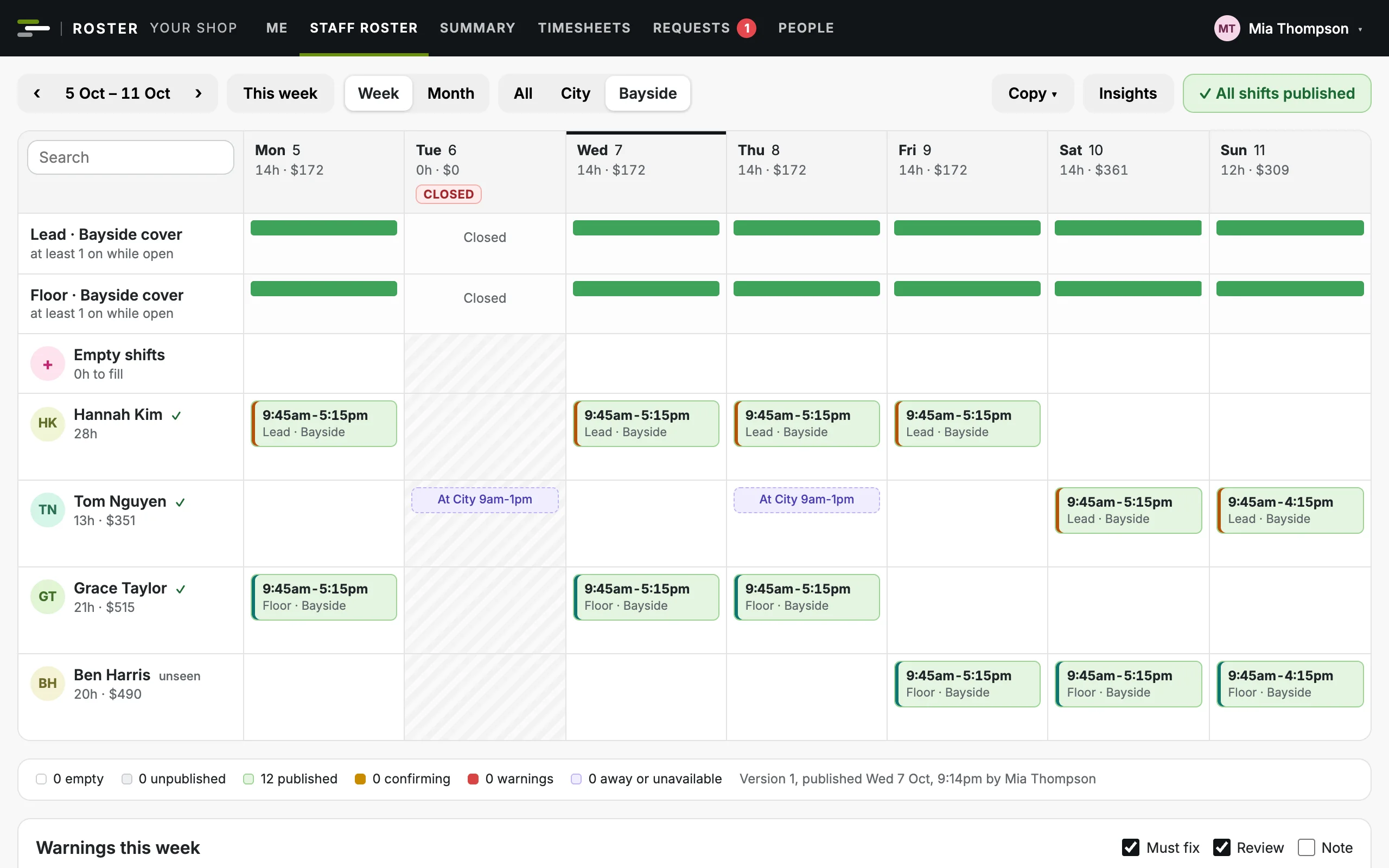
Each store has its own opening hours and closed days. Look at all of them together or one at a time, with that store's cover, warnings, hours and wages.
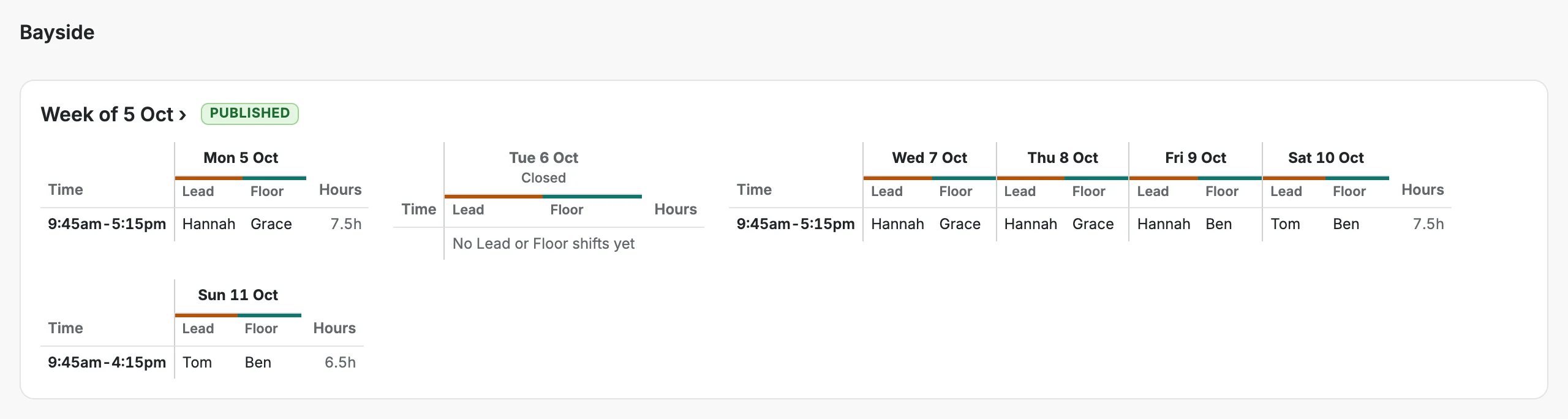
Start from everyone's usual week, skipping the days a store is closed, then drag shifts into place. What needs fixing is listed before you publish.

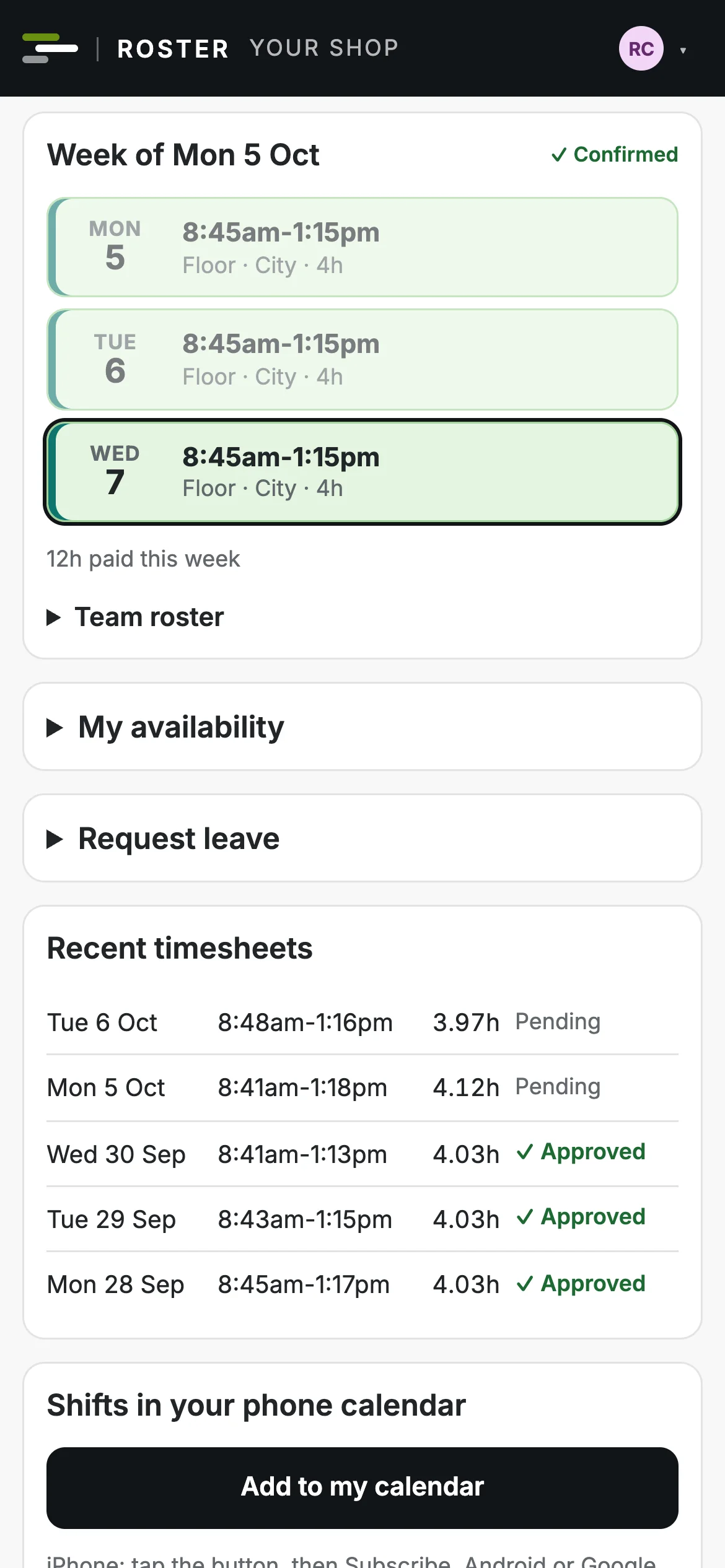
Your team sign in with their email and add the roster to their home screen. No app store and no password.
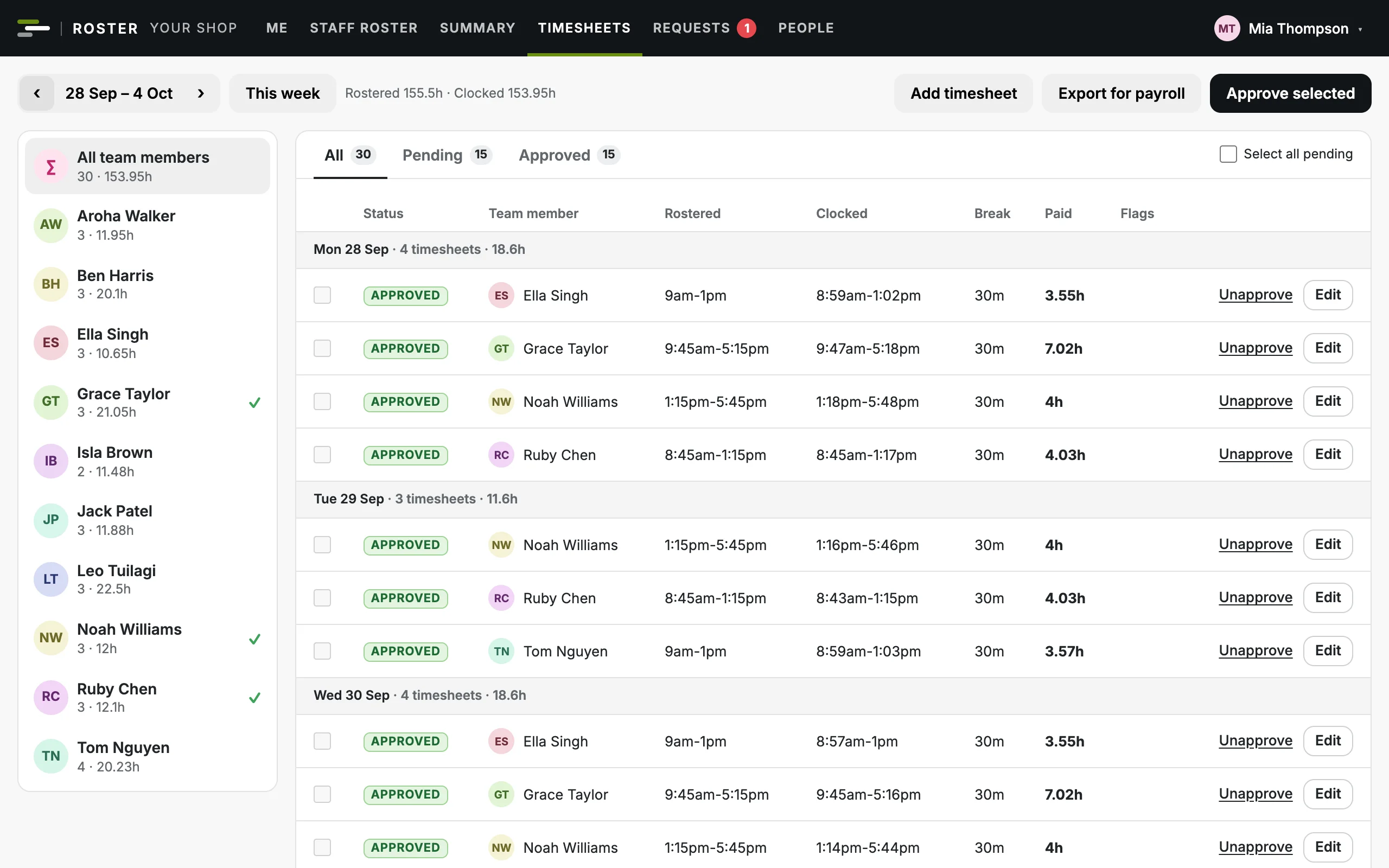
Clock-ins from phones are matched to the roster, so late starts, early finishes and missed clock-outs stand out before payday.
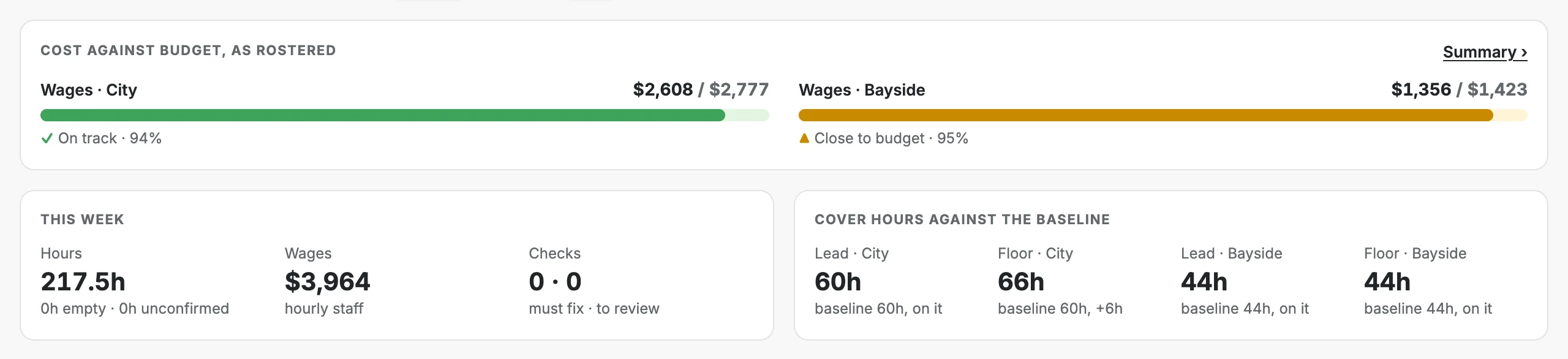
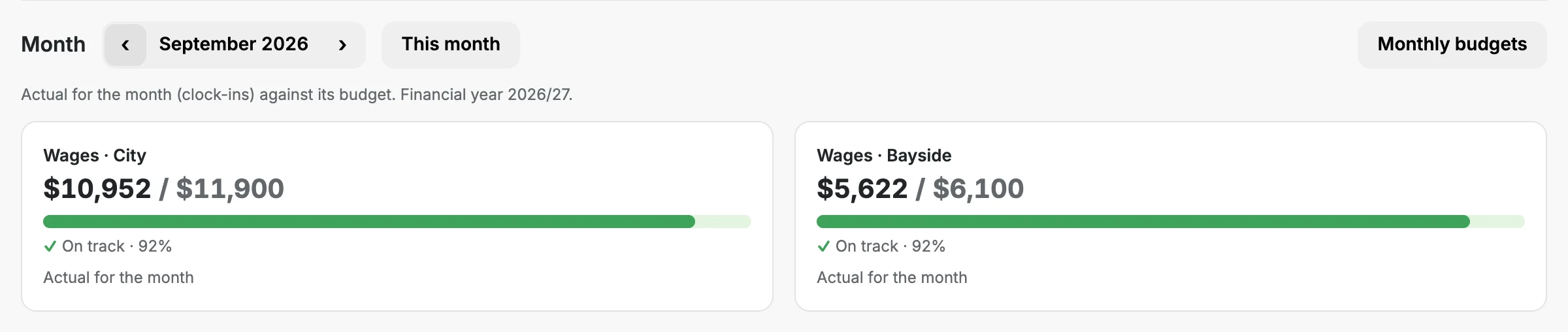
Every shift is costed as you build. Give each store a wage budget by month and see where the week and the month will land.
The roster flags what New Zealand employment law asks of you while you build the week, not after payday.
Every New Zealand public holiday, Matariki and Mondayised days included, with time and a half and an alternative holiday flagged.
Anyone paid under the adult minimum wage is flagged, and you set the new rate each April.
What's rostered against each person's agreed hours, with a four-week average.
Rest between shifts, weekly hours and days in a row, at the limits you set.
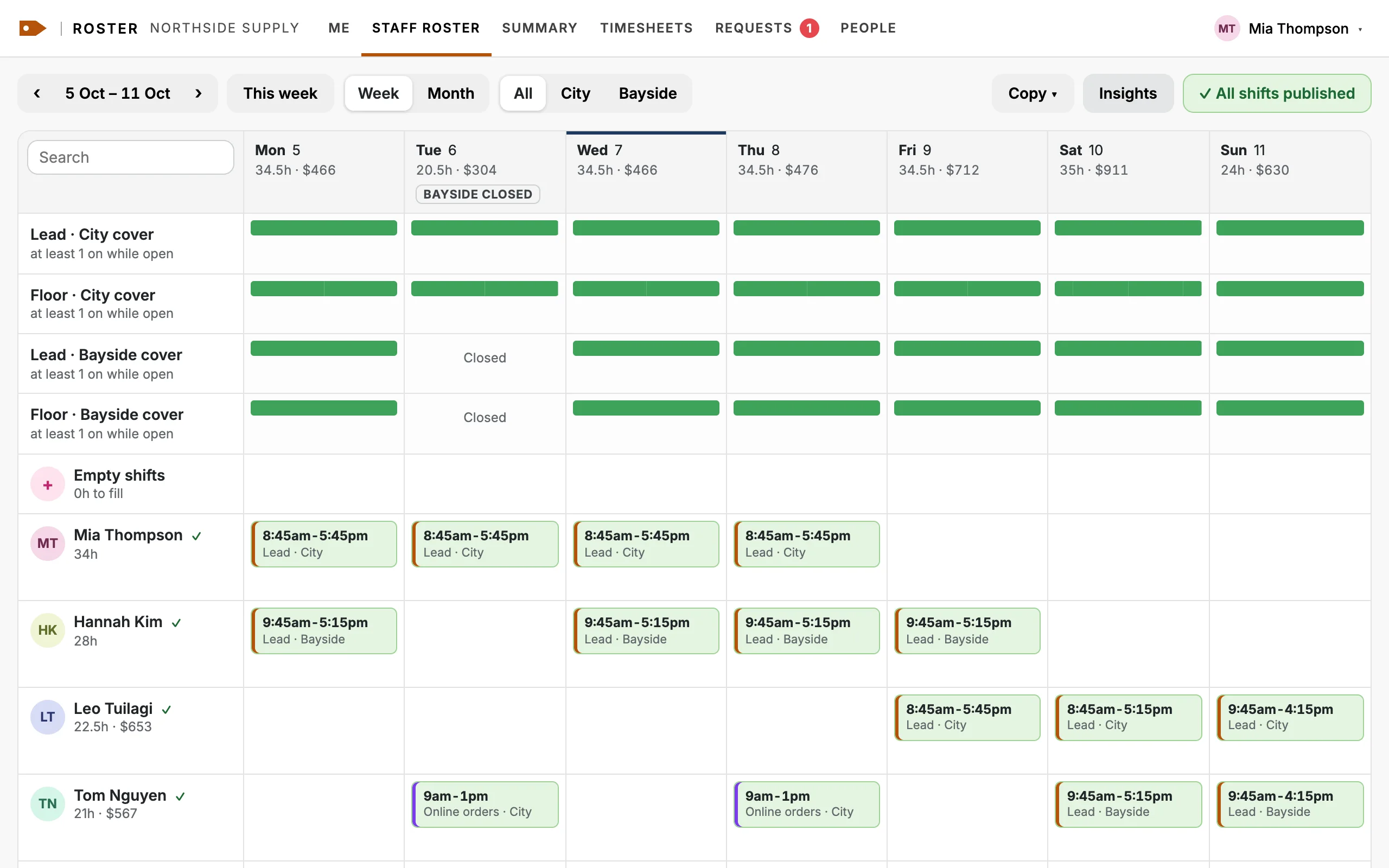
Your own web address, name, logo and colours, on the roster, your team's phones and every email.
The same roster in three made-up shops' colours. Status colours (green, amber, red) stay the same everywhere, because they mean something. See everything you can set
Everyone signs in to the same app and sees their own part of it.
Every store, every cost and every setting: budgets, pay, who gets access, the change log and backups.
Build and publish the week for every store, and approve swaps, leave and timesheets, on a computer or their phone.
Their own shifts and the team roster on their phone, with swaps, leave and clocking in.
No. They open the roster on any phone, sign in with their email and can add it to their home screen, where it works like an app. Nothing to install from an app store.
Yes. Put them on any store's roster. Each store's roster shows when they're at the other one, and their hours count across both.
No. Managers see every store, and can look at all of them together or one at a time.
No. Wages are measured against the monthly budgets you set for each store, not against sales.
You set the days each store is closed, and nobody is rostered on them. Club Roster doesn't work out the shop trading rules for you, because they depend on your shop.
Yes. New Zealand public holidays, including Matariki and Mondayised days, are built in, with time and a half and an alternative holiday flagged on the roster.
No. It exports approved hours as a CSV for your payroll system.
Free for up to 10 employees. With 11 or more, $69 a month for each store, plus GST. See the plans.
A 30 minute walkthrough with your own roster. No commitment.